
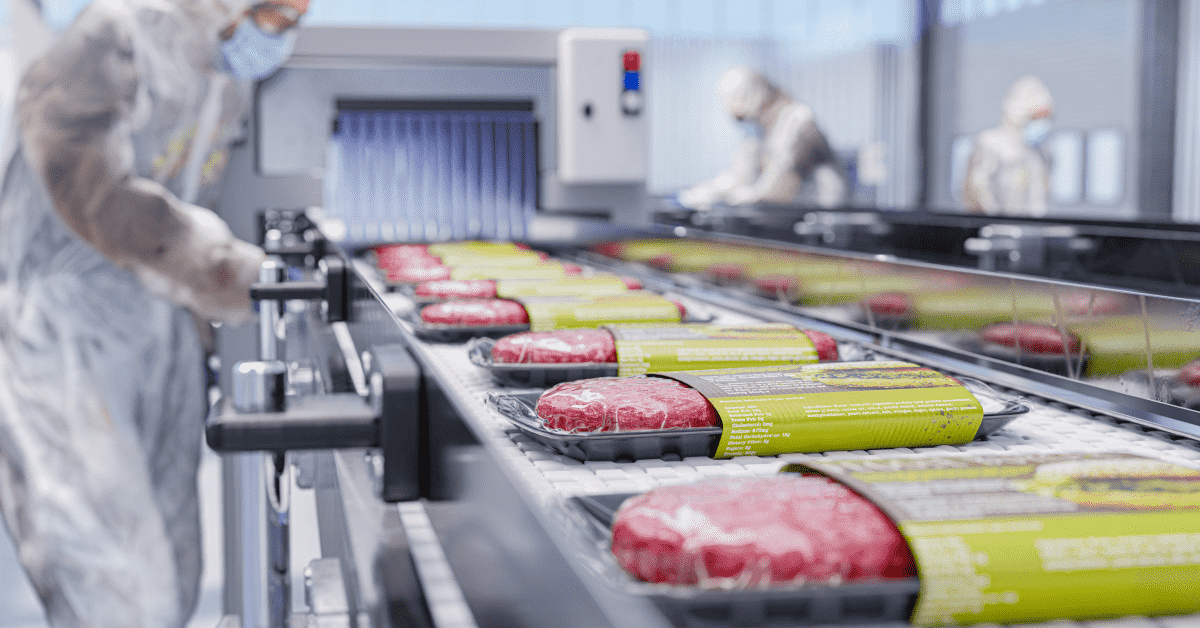

A carcass does not simply move from raw material to finished goods. Between those two points, it can become primals, subprimals, trim, grind, byproducts, rework, packaged products, and multiple production lots. Every transformation changes weight, quantity, inventory identity, value, location, or status.
That middle stage is where most meat plants lose visibility. You know how many pounds entered production. You know how many finished pounds came out. But what happened between those two points? That is the gap this guide addresses.
Meat processing WIP tracking means maintaining the identity, quantity, weight, location, status, and production history of product while it is being transformed from carcass or raw material into finished goods.
What Is Work in Process Inventory in Meat Processing?
Work in process inventory is product that has entered production but is not yet a finished good. Here is what that looks like inside your plant.
What Counts as WIP Inside a Meat Plant?
Work in process inventory in meat processing is any product that has left raw material status but has not yet been packaged, labeled, and released as a finished good. Examples include carcass sides awaiting fabrication, primals awaiting further cutting, trim waiting for grinding, meat staged for formulation, batches undergoing thermal processing, and unpackaged product awaiting final packaging.
WIP can be tracked physically in pounds and units. It can also be tracked financially as inventory value on your balance sheet. Most plants need both views to run operations and close the books accurately.
Raw Material vs WIP vs Finished Goods in a Meat Plant
Understanding the three inventory states helps you define when product crosses from one stage to the next.
| Inventory Stage | Meat Example | Production Status | Typical Tracking Unit | Inventory Value Status |
| Raw Material | Carcass or purchased primal in receiving cooler | Not yet issued into production | Pounds, carcass ID | Purchase cost |
| Work in Process | Primal on the fabrication line, trim in a combo bin, grind batch in mixer | Currently undergoing transformation | Pounds, lot or batch number | Accumulated production cost |
| Finished Goods | Boxed, labeled ribeyes in the warehouse | Packaged, QA-released, ready for sale or shipment | Cases, catch weight, product code | Full production cost |
Your plant’s operating rules should define when product officially moves between these stages. The clearer the definition, the more accurate your inventory.
Where Does WIP Inventory Exist From Carcass to Finished Product?
WIP does not sit in one place. It moves through multiple areas, and each step changes the product’s identity, weight, or form. Here is the typical path.
Carcass Receiving, Identification, and Chilling
That’s where the product’s identity starts. Every carcass should have a carcass ID or slaughter lot, species, supplier or source, receiving or production date, weight, grade (where applicable), cooler location, and processing status.
Whether your plant considers a received carcass “raw material” or “WIP” depends on your operating and accounting rules. Some plants treat a carcass as WIP the moment it arrives because it requires further processing before it can be sold.
Fabrication Into Primals, Subprimals, Trim, and Byproducts
Fabrication is where meat processing fundamentally differs from assembly manufacturing. In assembly, you combine parts into one product. In meat, one input becomes many outputs.
A single carcass can produce:
- Primals, then subprimals, then retail or foodservice cuts
- Trim destined for grind batches
- Bones, fat, organs, and other byproducts
Each output has its own weight, product identity, and value. Your tracking system must preserve the parent-child relationship across these splits. Without that link, you cannot trace a finished product back to its source carcass or supplier lot. It is where a platform built for cattle management becomes essential, as they maintain those relationships through every transformation.
Grinding, Further Processing, and Batch Creation
Grinding introduces the opposite problem. While fabrication splits inventory into many outputs, grinding, sausage making, formulation, marination, and other further processing steps combine materials from several lots into one production batch. That creates many-to-one genealogy.
This is not just an operational detail. Federal regulations require establishments that grind raw beef to maintain records of all supplier lot numbers, production dates, names of supplied materials, and any materials carried over from one production lot to the next.
Packaging and the Move Into Finished Goods
Packaging is the completion event. It is where WIP becomes a finished good. The product receives its final weight, product code, label, lot code, and QA release. It gets assigned a storage location and a finished inventory status.
This conversion should be triggered by a defined production event, not by an end-of-day spreadsheet adjustment. When the conversion happens in real time, your inventory records stay accurate throughout the day.
How Do Meat Processing Plants Track WIP Inventory?
Tracking WIP is not one task. It is a series of connected steps that follow product through every transformation. Here is a practical framework.
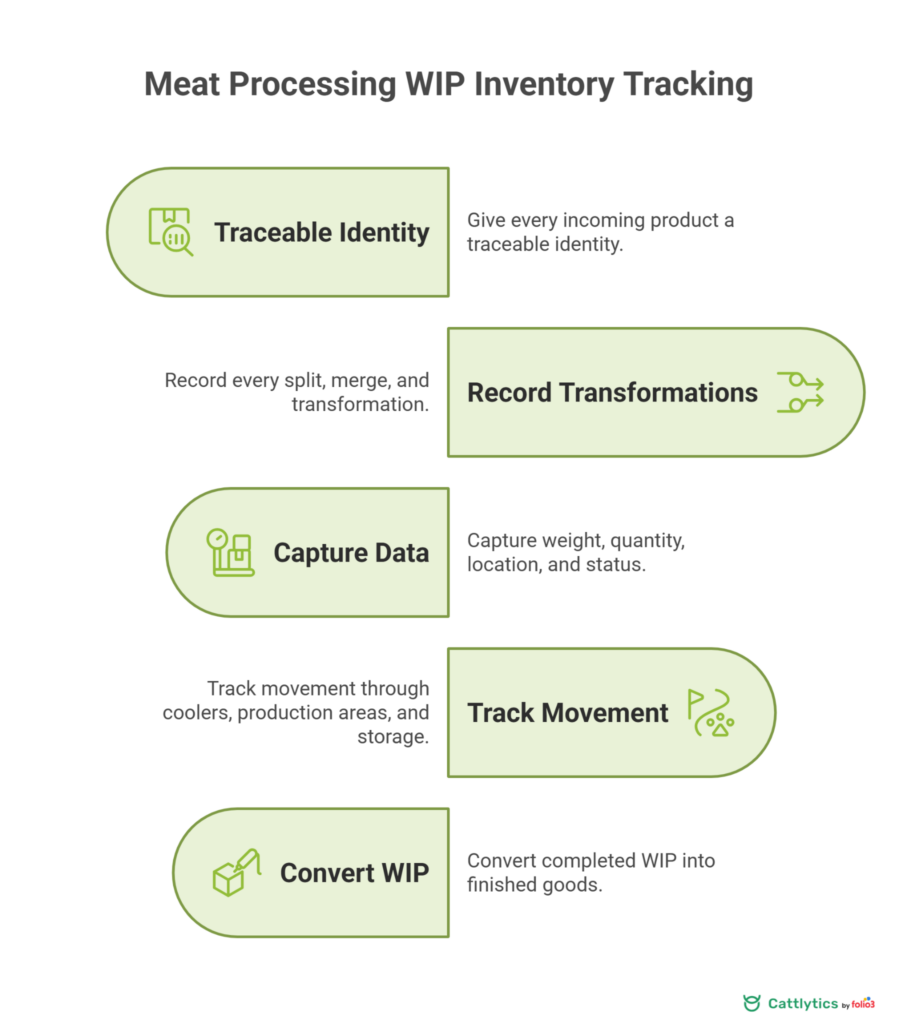
Step 1: Give Every Incoming Product a Traceable Identity
Every product entering your plant needs an identifier: carcass ID, animal ID (where available), supplier lot, slaughter lot, production lot, purchase lot, or internal batch number.
The identifier must survive transformations. When a carcass becomes primals, the primal lots should link back to the carcass ID. When trim from multiple carcasses enters a grind batch, the batch should link back to every source lot. This parent-child chain is the foundation of your entire traceability program.
Step 2: Record Every Split, Merge, and Transformation
This is the step that separates basic inventory counting from real WIP tracking.
You need to capture:
- One-to-many splits: One carcass becoming several primals, each with its own lot identity and weight
- Many-to-one merges: Several pieces of trim becoming one grind batch, with all source lots recorded
- WIP-to-WIP transfers: WIP being incorporated into another product during further processing
- Rework additions: Rework being added into later production, with the source lot documented
- Finished-to-source traceability: Any finished product being traced back to its source lots
The University of California’s Agriculture and Natural Resources program specifically identifies lot tracking for received materials, WIP items, ingredients, and final products as a core capability meat processors should look for in their tracking systems.
Step 3: Capture Weight, Quantity, Location, and Status
Every transaction should record weight, pieces, cases (where applicable), storage location, production department, inventory status, timestamp, operator, and work order.
Pay special attention to catch weight. Meat products vary in weight from piece to piece. Fixed-unit inventory models that assume every box weighs the same will create inventory discrepancies from day one. Your system should support catch weight, meaning it tracks and prices products by actual weight, not nominal weight.
Step 4: Track Movement Through Coolers, Production Areas, and Storage
Your WIP does not stay in one room. It moves across the production floor, fabrication areas, coolers, freezers, hold areas, packaging lines, and warehouse locations.
Knowing quantity without knowing physical location still creates operational problems. If your supervisor needs 500 pounds of 90/10 trim for tomorrow’s grind and it exists in three different coolers, they need to know where it is, not just that it exists.
Step 5: Convert Completed WIP Into Finished Goods
The final step is the formal conversion. The product receives its final product code, label, actual weight, case count, lot, packaging date, QA release status, storage assignment, and inventory valuation.
| Processing Stage | Product Example | Inventory State | Tracking ID | Weight Event | Required Data | Next Transaction |
| Receiving | Beef carcass | Raw material | Carcass ID | Receiving weight | Supplier, date, grade | Issue to fabrication |
| Fabrication | Ribeye primal | WIP | Child lot | Post-fabrication weight | Parent carcass, operator | Move to further processing |
| Grinding | 80/20 ground beef batch | WIP | Batch number | Batch weight | All source lots, formula | Move to packaging |
| Packaging | Boxed ground beef | Finished goods | Product code + lot | Catch weight per case | Label, QA release, location | Ship or store |
What Data Should Plants Capture During Meat Processing WIP Tracking?
Good WIP tracking depends on capturing the right data at the right time. Here is a practical checklist broken into two categories.
Core Inventory and Production Data
Your WIP tracking records should include:
- Product ID and product type
- Lot or batch number, plus parent lot and child lots
- Weight (actual, not estimated) and quantity
- Storage location and production status
- Work order and production date/time
- Operator or shift responsible
- Supplier or source information
- Finished product code and destination lot
This is not just operational data. These records become the backbone of your traceability program and your cost accounting.
Quality, Food Safety, and Cost Data
Beyond production records, you also need to capture:
- Product hold status and inspection results
- Temperature records where applicable
- CCP monitoring references and corrective actions
- QA release documentation
- Yield, scrap, and giveaway measurements
- Labor and overhead allocation
- Actual production cost
Federal HACCP regulations (9 CFR 417.5) require that applicable records include product code or identity, monitoring results, corrective actions, verification information, and the date each record was made. Accurate WIP records make these requirements easier to meet.
How Does WIP Tracking Improve Yield, Cost Control, and Production Planning?
WIP tracking is not just a compliance exercise. It directly impacts your bottom line. Here is how.
Use WIP Records to Measure Carcass Yield and Product Loss
The concept is simple: input pounds should reconcile with outputs. If you started with an 800-pound carcass, the outputs should account for every pound.
Illustrative example (not industry benchmarks):
- Saleable cuts: 400 lbs
- Trim for grind: 180 lbs
- Byproducts (bones, fat, organs): 150 lbs
- Process loss and shrink: 50 lbs
- Documented waste: 15 lbs
- Unaccounted: 5 lbs
That 5 pounds of unaccounted product is where the money hides. When you capture weight at every key transformation point, missing pounds become visible. Over thousands of carcasses per month, even small per-carcass variances add up to significant dollar amounts.
Use WIP Visibility to Improve Scheduling and Inventory Decisions
When your supervisors can see current WIP status, they can answer real-time questions:
- What is currently waiting for fabrication?
- How much trim is available for tomorrow’s grind?
- Which batches are on QA hold?
- Which orders are waiting for packaging?
- Where is WIP accumulating?
- Does production have enough raw material to complete scheduled orders?
Excessive WIP often signals bottlenecks. When product piles up between fabrication and packaging, you have a scheduling problem, a capacity problem, or both. Visibility is the first step to fixing it.
How Does WIP Tracking Improve Lot Traceability and Recall Readiness?
Traceability is not optional. It is a regulatory requirement and a business survival tool. Your WIP records are the bridge between receiving and shipping.
Build Lot Genealogy From Source to Finished Product
Every traceability system should answer two questions:
- Where did this finished product come from? (trace back)
- Where did everything from this source lot go? (trace forward)
The chain looks like this:
Source lot → Carcass or primal → Production WIP → Batch → Package → Finished product → Shipment
If any link in this chain is missing, your trace back takes hours instead of minutes. And in a recall situation, hours matter.
Track Rework, Holds, and Product Disposition
Rework is where lot genealogy most commonly breaks down. When leftover trim or off-spec product gets manually added to another batch without recording the source lot, you have created a gap in your traceability chain.
Your system must track product holds, retained inventory, rejected product, rework additions, and final disposition. Recall scope can expand significantly when lot grouping is unclear or when affected finished product has been used again as rework. In the absence of detailed records, the agency must assume that contaminated product was comingled with other products, which expands the recall far beyond the original lot.
Connect Production Records With Recall Procedures
Official meat and poultry establishments must maintain written recall procedures under 9 CFR Part 418. These procedures must specify how the establishment will decide whether to conduct a recall and how it will carry out one if needed.
Accurate lot and production records help your team determine the affected scope faster during an investigation or recall. The faster you can identify exactly which products are affected, the smaller and more targeted your recall will be.
What Causes Work in Progress Inventory Errors and Loss?
Inventory errors do not happen all at once. They accumulate quietly until your counts no longer match reality. Here is where to look.
Seven Common Causes of Meat Processing WIP Errors
- Product moves without a recorded transaction. Physically, it is in the packaging cooler. Digitally, it is still on the fabrication floor.
- Incorrect or missing weights. Estimated weights replace actual scale readings, and the variance compounds with every transaction.
- Lost parent-child lot relationships. A primal leaves fabrication without being linked back to its source carcass.
- Manual relabeling. Product gets a new label but no system transaction, breaking the digital chain.
- Trim or rework added without recording the source. The batch record is incomplete, and traceability is compromised.
- Product placed on hold without inventory status being updated. Operations thinks it is available. QA knows it is not.
- Finished production posted hours or days after physical completion. Your inventory numbers are always behind reality.
Each of these creates downstream consequences: inventory variance, incorrect yield calculations, lost traceability, production delays, or inaccurate costing.
Match Each Error With a Preventive Control
Use this framework to map each error to its control:
| Problem | Likely Cause | Operational Impact | Control | Data Required |
| Unrecorded product moves | No scanning at transfer points | Location mismatch, picking errors | Scan-based transfers | Location, timestamp, operator |
| Missing weights | No scale at the workstation | Yield and cost inaccuracy | Scale integration at key steps | Actual weight, lot, timestamp |
| Lost lot relationships | Manual fabrication records | Traceability gaps | System-enforced parent-child linking | Parent lot, child lots |
| Unrecorded rework | Verbal instructions only | Incomplete batch records | Mandatory rework source entry | Source lot, weight, destination batch |
Best Practices for Managing Meat Processing WIP Inventory
Knowing the problems is half the work. Here is how to prevent them. These practices apply whether you run a small custom processing operation or a multi-shift plant.
Eight WIP Inventory Best Practices for Meat Processors
- Establish clear inventory states. Define exactly when product transitions from raw material to WIP to finished goods. Document these definitions and train your team on them.
- Assign lot identity at the earliest practical point. The sooner a product has a traceable identity, the sooner you can track it.
- Capture every split and merge. Every fabrication output and every grind batch input should be recorded with lot links.
- Weigh product at meaningful transformation points. Receiving, post-fabrication, post-grind, and final packaging are the minimum.
- Use barcodes or other scanning methods where practical. The UC Agriculture and Natural Resources guidance specifically supports barcode scanning, catch weight, scale integration, and label printing as features meat processors should prioritize.
- Record product movement when it happens. Do not batch-enter transactions at the end of a shift or day.
- Keep held product separated by both physical location and digital status. If product is on QA hold, it should show as “on hold” in your system and physically be in a designated hold area.
- Reconcile input, output, loss, and remaining WIP. Do this per shift or per production run, not per month.
Reconcile Production Before Small Errors Become Large Variances
The formula is straightforward:
Beginning WIP + Additions = Finished Output + Remaining WIP + Documented Loss/Disposition
When you run this reconciliation at the shift level or production run level, discrepancies show up while the details are still fresh. When you wait until month-end, the source of the variance is nearly impossible to find. People have moved on. Product has shipped. Records are stale.
When Should a Meat Plant Replace Paper or Spreadsheet WIP Tracking?
Paper and spreadsheets work until they do not. Here is how to know when you have outgrown them.
Warning Signs Manual WIP Tracking Is No Longer Enough
- Supervisors cannot see current WIP without walking the floor
- Inventory numbers differ between production and finance
- Trace-back requires searching through multiple spreadsheets
- Weights are entered twice or more across different systems
- Lots lose identity during fabrication or grinding
- Product exists physically but not in the system
- Yield reports arrive after the production run is complete
If three or more of these sound familiar, your manual process is likely costing you more in lost product, labor, and risk than a dedicated system would.
What Should Meat Processors Look for in a WIP Tracking System?
Before evaluating any platform, use this checklist to define your requirements:
- Lot and batch genealogy (parent-child tracking)
- Split and merge tracking
- Catch weight support
- Scale integration
- Barcode scanning support
- Label printing
- Work orders
- Yield tracking
- Inventory locations
- Product holds and QA records
- Trace back and trace forward
- Finished goods conversion
- ERP and accounting integration
- Multi-facility support (where required)
This checklist should drive your evaluation. Look for platforms purpose-built for meat processing, not generic inventory tools adapted from another industry.
How Cattlytics Connects WIP From Carcass to Finished Goods
If your plant currently tracks production across multiple spreadsheets, whiteboards, and paper logs, Cattlytics brings those records into one connected system.
Replace Disconnected Production Records With One Product History
Cattlytics meat processing software supports production records for receiving, cutting, deboning, grinding, packaging, trim, byproducts, production loss, and batch tracking. It handles WIP and finished goods inventory with lot genealogy, barcode-based inventory updates, inventory by weight and location, product history, and trace-forward and trace-back capabilities.
As a proud member of the American Association of Meat Processors, Cattlytics is committed to helping the meat industry with its growing challenges.
Cattlytics enables meat processors to track work-in-process inventory from carcass intake to finished goods by connecting production, inventory, quality, traceability, and compliance records in one system.
Conclusion
Good WIP management is not simply knowing how many pounds are in production. Your plant needs to know what the product is, where it came from, where it is now, what happened to it, what it weighs, and what finished product it becomes.
When you track those details at every step, you gain yield visibility, cost accuracy, faster traceability, and the ability to catch problems before they become recalls. That is the operational advantage of getting WIP right.
FAQs
What Is the Difference Between Work in Process and Work in Progress Inventory?
In practice, “work in process” and “work in progress” mean the same thing. Both refer to inventory that has entered production but is not yet a finished good. Meat processors use either term to describe product undergoing fabrication, grinding, or further processing.
How Often Should a Meat Plant Reconcile WIP Inventory?
Reconcile at the end of every shift or production run. Waiting until month-end makes it nearly impossible to identify the source of discrepancies because product has already moved, shipped, or been consumed in later batches.
Why Does Catch Weight Matter for Meat Processing WIP?
Meat products vary in weight from piece to piece. If your system tracks inventory using fixed nominal weights instead of actual scale weights, every transaction introduces a small error. Over hundreds of transactions per day, those errors compound into significant inventory variances.
Can Spreadsheets Handle WIP Tracking for a Meat Processing Plant?
Spreadsheets can work for very small operations, but they break down quickly as volume grows. They cannot enforce lot genealogy, link parent-child relationships in real time, or integrate with scales and barcode scanners. Most plants outgrow spreadsheets long before they realize it.
What Records Does FSIS Require for Ground Beef Lot Tracking?
Federal regulations require establishments that grind raw beef to maintain records of establishment numbers of suppliers, all supplier lot numbers and production dates, names of supplied materials including carryover, and the date and time of each grinding lot.
How Does Poor WIP Tracking Increase Recall Scope?
When lot grouping is unclear, or records are incomplete, regulators must assume the worst. If your plant cannot distinguish between production lots because equipment was not cleaned between runs, the entire day’s production can become one lot. That turns a targeted recall into a plant-wide recall.