
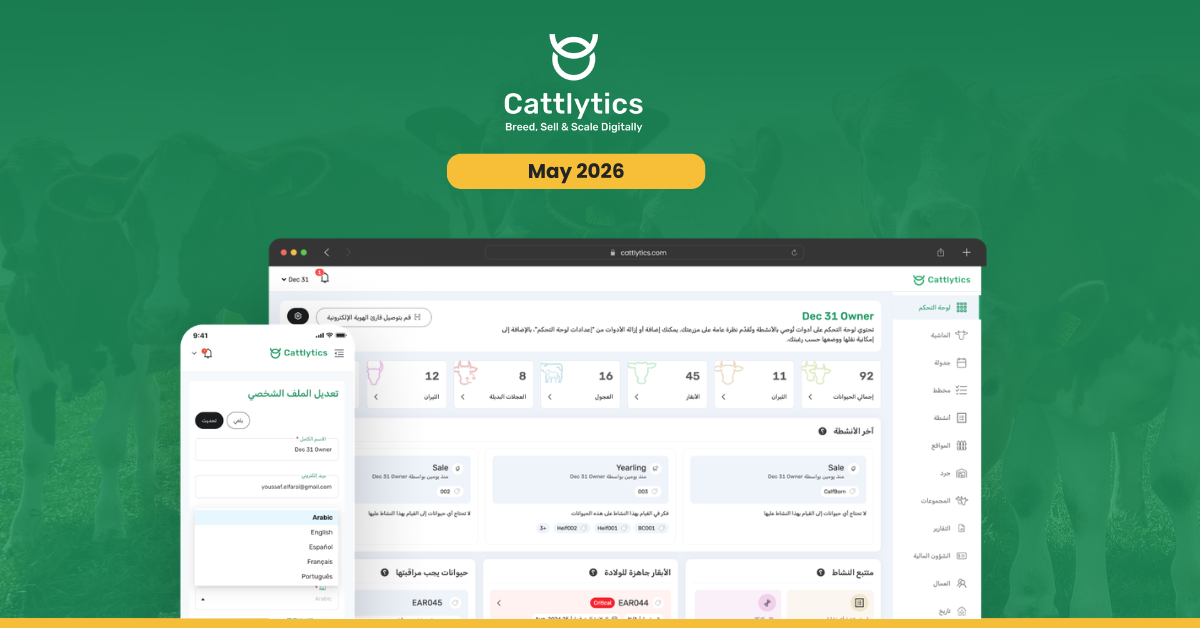

Managing cattle is easier when every screen, field, and report is written in the language your team uses every day. For Arabic-speaking ranchers and farm teams, language barriers can slow down record-keeping, make training harder, and create confusion during daily activities.
With this release, Cattlytics is now officially available in Arabic, العربية, joining English, Spanish, French, and Portuguese. You can now use Cattlytics entirely in Arabic across web and mobile, with full right-to-left layout support built into the experience.
This update is not limited to translated words. The full interface has been rebuilt so Arabic-speaking users can move through records, forms, reports, and workflows in a way that feels natural.
Release Details
Build Version: 2.4.1
Release Date: 6th May 2026
What’s New in This Release
Full Arabic Language Support
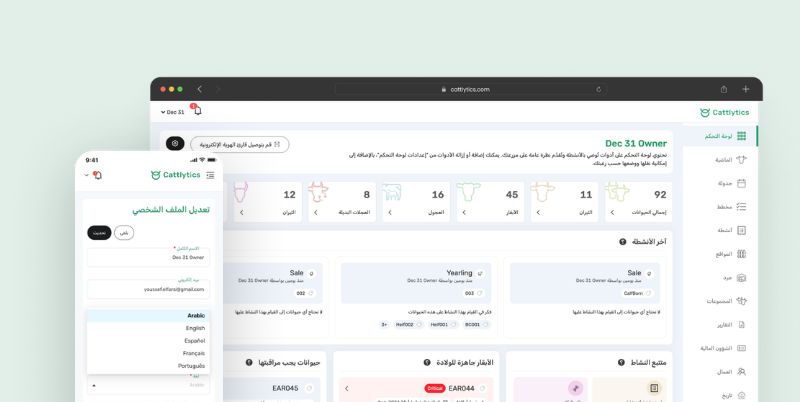
Cattlytics now supports Arabic across the platform, giving Arabic-speaking users a complete cattle management experience in their preferred language.
From animal records and health activities to breeding logs, inventory, reports, and scheduling, the core Cattlytics experience is now available in Arabic. This helps teams record information more confidently and reduces the need to translate terms manually while working.
Full Right-to-Left Layout
Arabic is read from right to left, so the interface now follows the same direction.
Every screen, menu, and form has been mirrored to match how Arabic readers naturally move through information. This makes navigation clearer and helps users complete daily tasks without adjusting to a left-to-right interface.
With right-to-left support, the experience feels native instead of simply translated.
Every Feature, Fully Translated
The Arabic release covers the complete Cattlytics workflow, not just the main menu or basic labels.
Users can manage health records, breeding records, activity scheduling, inventory, reports, animal profiles, and other key areas in Arabic. This makes the platform more practical for day-to-day use across different roles on the ranch.
Whether a team member is updating a treatment record, checking inventory, reviewing reports, or recording animal activity, they can now do it in Arabic.
Built for Multilingual Teams
Many cattle operations work with teams that speak different languages. This update allows each user to choose their own language preference inside Cattlytics.
One team member can use Arabic, while another can continue using English, Spanish, French, or Portuguese. Each user gets the language that works best for them without changing the experience for the rest of the team.
This makes Cattlytics easier to adopt across larger teams, mixed-language teams, and operations with staff in different regions.
Easy Language Switching
Switching to Arabic is simple.
Open Cattlytics on the web or mobile, go to Profile or Settings, then open Language Preferences and select العربية. The interface updates instantly, and no restart is needed.
This allows users to change their language quickly and continue working without interruption.
Why This Update Matters for Cattle Operations
Clear records depend on clear communication. When users can work in their own language, they are more likely to enter data correctly, follow workflows properly, and use the system consistently.
With Arabic language support:
- Animal records are easier for Arabic-speaking users to understand
- Daily activities can be recorded with less confusion
- Training new team members becomes simpler
- Mixed language teams can use the same system comfortably
- Reports, inventory, health records, and breeding logs are easier to review
- The full right-to-left layout makes the platform feel natural for Arabic readers
This release helps improve data accuracy, team adoption, and day-to-day usability for Arabic-speaking cattle operations.
Get the Update
The Arabic Language Support update is now live. Please update Cattlytics to the latest version to access the Arabic interface and full right-to-left layout support.
Users can switch to Arabic from Profile or Settings under Language Preferences.